From session to spec: turn
runtime context into code
Notebooks turn full stack session data into reusable specs, test scripts, and development plans. Available on the Enterprise plan.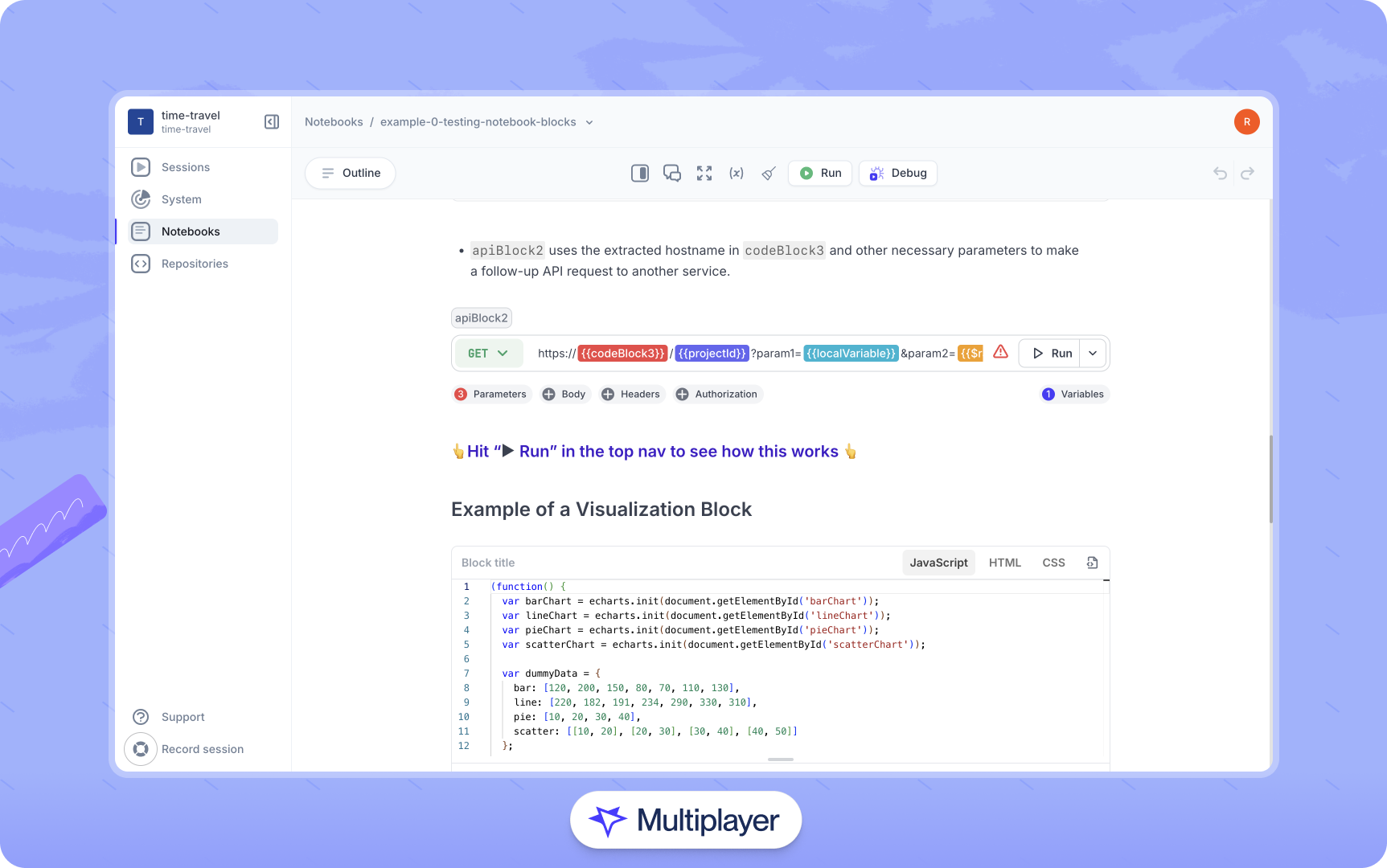

“As soon as I notice something in a session recording, I can drop in a sketch or note and send it straight to my AI copilot for a fix."

Turn session replays into specs, tests,
and features

Problem
- Slow and frustrating debugging, with information scattered across tabs and tools
- Session replays often stop short of becoming actionable specs, test scripts, or feature plans
- Outdated or incomplete API collections and documentation
- Untested API changes and intermittent bugs slip through to break prod
- Devs, QA, and PMs work from partial information and fall out of sync
Solution
- Turn debugging context into shareable development plans and test scripts in one platform
- Create living, interactive documents to validate flows, generate test scripts, or design new integrations
- Capture real behavior to automatically generate always-current API documentation
- Keep everyone aligned to accelerate release cycles and reduce miscommunication
Reusable specs, test scripts, and annotated development plans
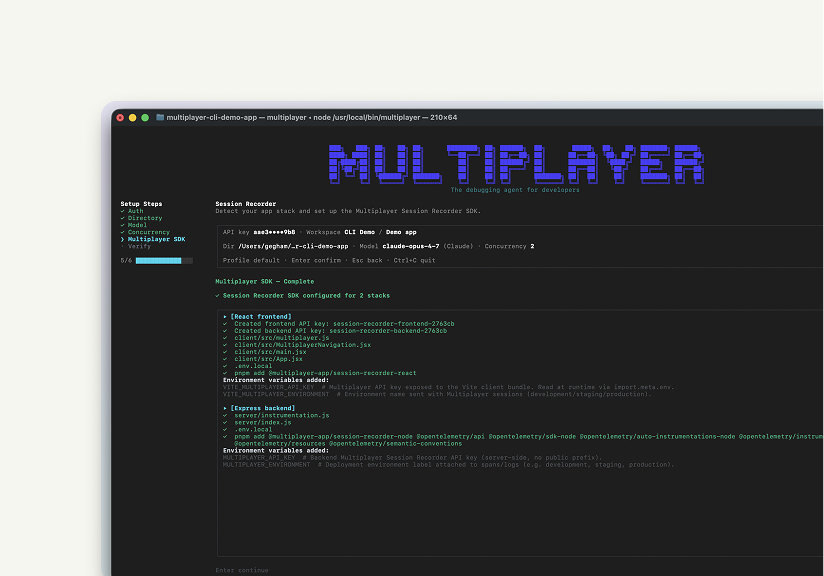
Multiplayer runs locally next to your favorite coding agent and surfaces new issues automatically, saving unsampled, full-stack session data for each bug. Your coding agent automatically receives exactly what it needs to fix the bug, deduplicated, pre-correlated.
Why choose Multiplayer Notebooks?

Actionable session replays
Bring everything into one platform, from full-stack session recordings to actionable, interactive plans. So debugging and feature development happen all in one platform, not across scattered tools.
Smarter AI prompts
Session annotations provide context-rich instructions (API calls, code, comments and sketches) that your AI tools can act on to generate accurate fixes, tests, and features with less guesswork.
Always-up-to-date API documentation
Turn complex integrations into clear, reusable notebooks that double as living API docs. Because they run against real data, Devs, QA, and Customer Success teams can test and validate workflows independently.
Auto-generated test scripts
Every session recording can be turned into a ready-to-run test, giving you stronger coverage and regression protection without the manual setup or scripting overhead.
Catch breaking changes early
Track integration logic, API parameters, and workflows as part of your CI/CD process. Avoid costly rollbacks by validating against live services and surfacing mismatches before they hit production.
Collaborate across teams
Notebooks act as the shared, live workspace where developers, QA, product, and partners build, test, and troubleshoot integrations together. Without context switching, long email chains or clunky handoffs.
Low-Code / No-Code solution
Whether you're technical or not, notebooks adapt to your workflow. Combine no-code API calls with executable JavaScript, graphs, and tables to build and explain real integrations, faster.
Capture all decisions, onboard faster
New teammates can learn from notebooks instantly: they not only preserve an always accurate "how", but also the “why” behind system changes, design choices, and product rationale.
Retain critical knowledge
Notebooks preserve institutional memory. Even if teams change, your integration logic, test cases, and edge cases stay documented, executable, and ready to go.Start today for free
pairs with
Debugging agent for developers
The Multiplayer debugging agent connects your favorite coding agent to prod to fix application bugs automatically. It manages the whole process from bug identified to bug fixed: data gathering, intelligent triage and issue deduplication, coding agent prompting, PR creation and user notification.pairs with
System dashboard
An always-up-to-date map of your entire backend architecture, automatically generated from real system behavior. Available on the Enterprise plan.Effortlessly design, test, and validate changes
Keep developers, QA, and PMs aligned with shared context for testing, debugging, and feature planning| Feature | Other Tools | Multiplayer |
|---|---|---|
| Test API calls | ||
| Write text-only explanations and steps | ||
| Embed graphs and tables | ||
| Add rich context to replays and agent sessions | ||
| Auto-generate test scripts from full stack session recordings | ||
| Write and run inline code within API workflows | ||
| Test and debug multi-step integrations |
Answer all these questions instantly
Chain API calls, annotate flows, generate specs or test scripts instantly ...Self-host Multiplayer for free straight from the repo.
Open a GitHub issue for any questions or issues
Check out our in-depth technical documentation.
Best practices on system design, debugging, and observability.